Supported syntax
Writage utilises CommonMark as it is a widely used and very well documented Markdown syntax, which was adopted by: Discourse, GitHub, GitLab, Reddit, Stack Overflow and many more.
In addition to the standard CommonMark syntax, Writage provides support for tables (using GitHub Flavored Markdown syntax), footnotes, strikethrough, and YAML frontmatter. Mathematical equations and citations are also supported — see the dedicated Math & Equations and Citations pages for details.
CommonMark standard syntax
In the table below you can see CommonMark standard syntax elements and how they will be appear in a Microsoft Word document and Markdown raw code.
| Style name: | Microsoft Word document: | Markdown document: |
|---|---|---|
| Emphasis | Bold | **Bold** |
| Emphasis | Italic | *Italic* |
| Headings | Heading1 | # Heading 1 |
| Headings | Heading2 | ## Heading 2 |
| Headings | Heading3 | ### Heading 3 |
| Inline Code | This is 𝙸𝚗𝚕𝚒𝚗𝚎 𝚌𝚘𝚍𝚎 | This is `Inline code` |
| Code Block | # 𝚃𝚑𝚒𝚜 𝚒𝚜 𝚊 𝙲𝚘𝚍𝚎 𝙱𝚕𝚘𝚌𝚔 𝚒𝚗𝚝 𝚖𝚊𝚒𝚗() { 𝚌𝚘𝚞𝚝 << "𝙷𝚎𝚕𝚕𝚘 𝚆𝚘𝚛𝚕𝚍!"; 𝚛𝚎𝚝𝚞𝚛𝚗 0; } | ~~~~~~~~~~~~~~~~~~~~~~ # This is a Code block int main() { cout << "Hello World!"; return 0; } ~~~~~~~~~~~~~~~~~~~~~~ |
| Ordered Lists | 1. One 2. Two 3. Three | 1. One 2. Two 3. Three |
| Unordered Lists | • One • Two • Three | - One - Two - Three |
| Links | Link | [Link](https://www.writage.com) |
| Quotations | This a a Blockquote example | > This a a Blockquote example |
| Images |  |  |
Note
You can use as many heading styles in your documents as needed. In the table above only Heading1 - Heading3 are shown to give you an idea of what headings look like in Markdown documents.
Extended Syntax
In the table below you can see the Extended Syntax used by Writage for tables, footnotes, and code blocks with language names, and how those elements appear in a Microsoft Word document and Markdown raw code.
| Style name: | Microsoft Word document: | Markdown document: |
|---|---|---|
| Tables | 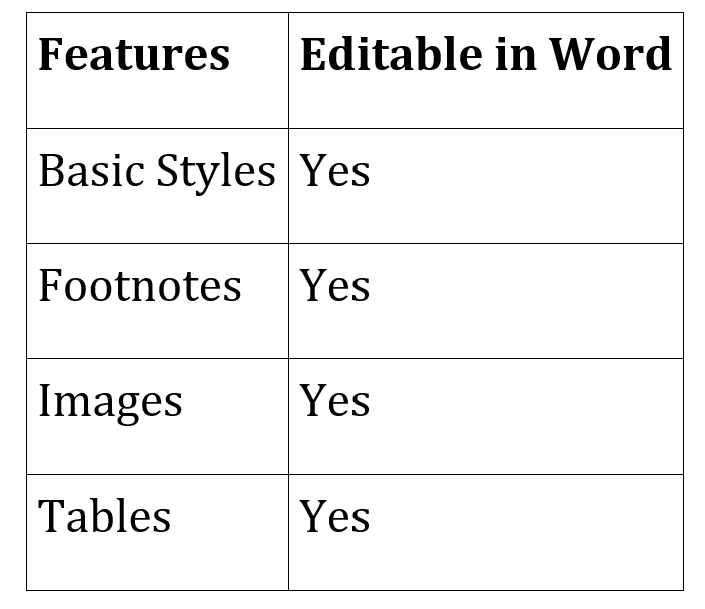 | 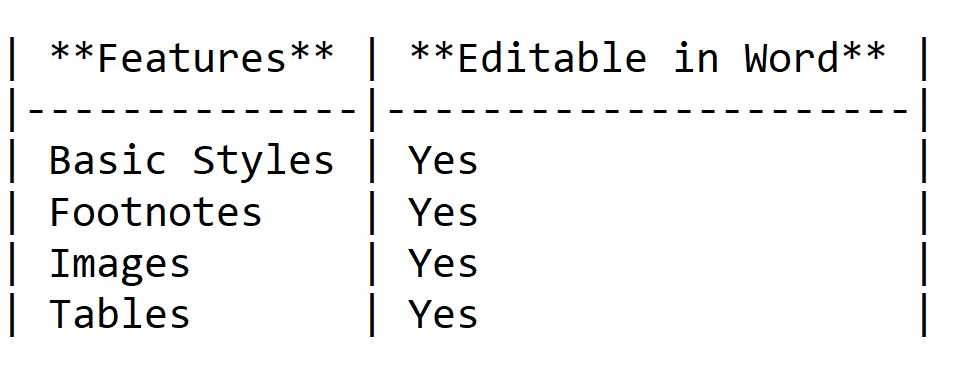 |
| Footnotes | 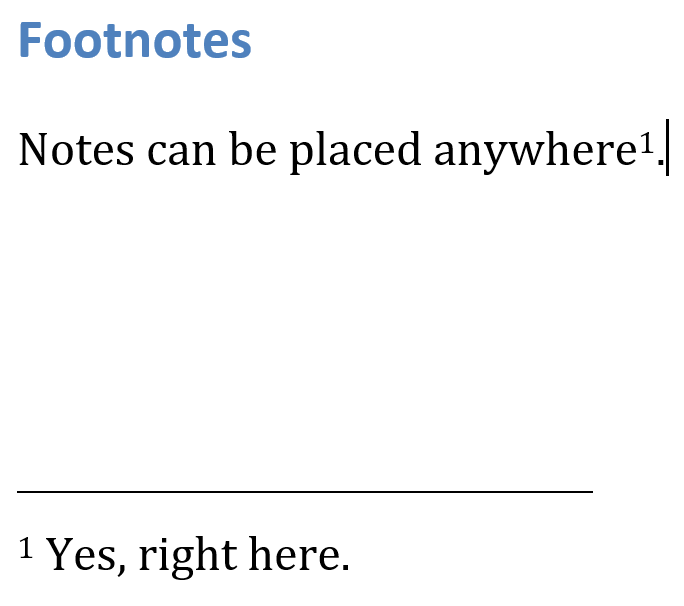 | 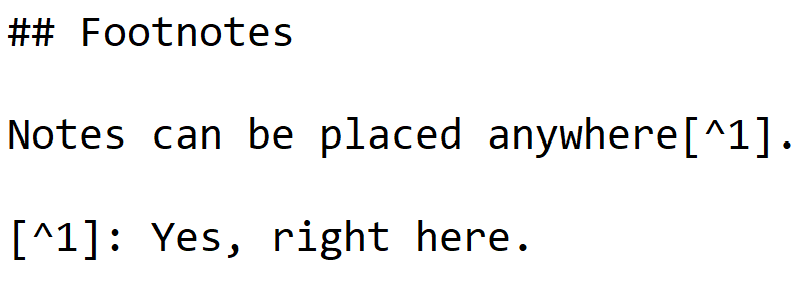 |
| Code blocks with language name | 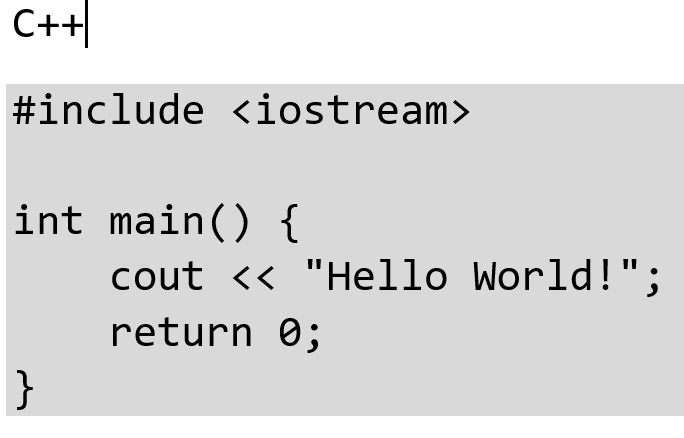 | 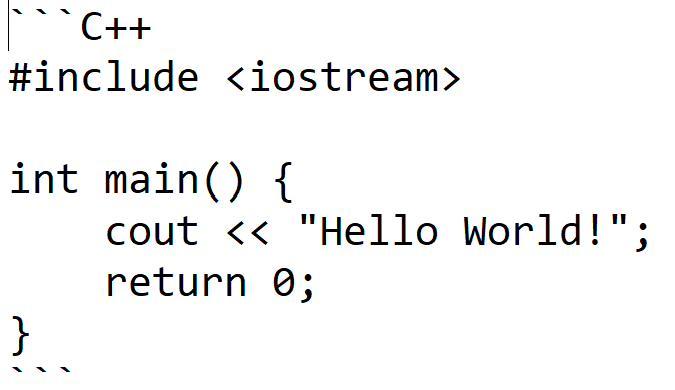 |
Strikethrough
Wrap text in double tildes to produce strikethrough text:
| Style name: | Microsoft Word document: | Markdown document: |
|---|---|---|
| Strikethrough | ~~Strikethrough text~~ |
YAML frontmatter
A YAML frontmatter block can appear at the very beginning of a Markdown file, delimited by --- lines. Writage reads and writes frontmatter, storing it in the document using the Metadata paragraph style.
---
title: My Document
author: Jane Smith
date: 2024-01-15
---

# Introduction
...
When the document is saved back to Markdown, the metadata block is written at the top of the file. You can apply or edit the Metadata style using the style buttons on the Writage ribbon.